


Austin American-Statesman
3.1250.00 Reviews
App Specs
- Version
- 202608.28
- Updated On
- License
- Free
- Downloads
- 10,000+
- Developer
- Hearst Newspapers - LLC
- Categories
- News & Magazines
- Platform
- Android
Screenshots





 Analysis by AppCompare
I decide whether a local news app is worth keeping by asking a practical question: does it help me understand what is happening in one place without turning every spare moment into a scroll? Austin American-Statesman is aimed squarely at readers who want Austin-focused reporting, sports, politics, alerts, puzzles, and a digital daily newspaper in one app. That local focus is its clearest reason to install it, but the modest user rating and the possibility of paid access mean I would approach it as a useful option to test, not an automatic keeper.
Who will get the most from a local-first feed
If Austin is where you live, work, study, or regularly visit, a city-centered news source can be more useful than a broad national feed. It gives your news routine a place to begin: local developments first, then the wider stories you follow elsewhere. I would especially consider this app if you want to keep up with local politics and sports alongside everyday city coverage, rather than switching between several general-purpose news apps and search results.
It may also suit someone who has moved away from Austin but still cares about what is happening there. A local paper can provide context that a national headline feed often lacks, while the newspaper and puzzle elements give the app a different rhythm from an endless stream of alerts. The trade-off is that a local focus is valuable only if Austin is genuinely part of your interests; readers looking for broad national or international coverage should pair it with another source.
Choosing the right Austin news routine
When I first downloaded the app, I was immediately drawn to its clean and user-friendly interface. The Austin American-Statesman app has a straightforward design that makes it easy to navigate. Right from the get-go, you can tell this app is designed with the user in mind. No clutter, just the news you want to read at your fingertips.
Features That Stand Out
One of the first things I noticed was the app's ability to tailor news feeds to personal preferences. You can customize what types of stories you want to see more or less of. Love local politics? You got it. More interested in the arts scene? It's all there. This customization feature is something I wish more news apps would implement.
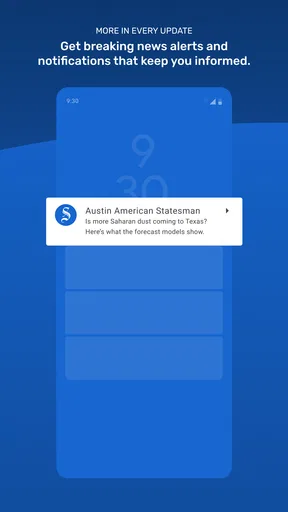
Another feature that really impressed me is the app's push notification system. Now, I know what you're thinking—"not another app bombarding me with notifications!" But hear me out. The notifications from this app are timely and relevant, keeping you informed without being intrusive. Plus, you can easily adjust the settings to control how often you receive them.
Making alerts and reading time work for you
For a calmer routine, I would treat alerts as a selective signal rather than a substitute for reading. Keep only the notifications that would change what you do that day, such as a major local development or a team result you genuinely follow, and leave the rest for a planned check-in. That distinction matters: an alert can tell you that something has happened, but a full article is usually where the local context becomes clearer.
Worth Reading Before You Choose

Flipboard Shows What News Apps Must Do Beyond the Feed

Switching to Android Auto Means Rethinking Your Driving Routine

Google Calendar Makes a Crowded Week Easier to Manage

Ludo King Makes the Most of the Minutes Between Plans

Baby Panda World Brings Quick Play to Modern Phones, but Its Game Library Feels Busy

ESPN’s Live Game View Makes Following Close Games Easier
A realistic use is checking the app over breakfast, scanning a few Austin stories, and then returning later when you have time for a longer report or the daily paper. If you are commuting, the practical question is whether you have already saved or opened the material you want before service becomes unreliable. The original experience describes offline reading as available, but I would still make a quick test on your own device before depending on it for a long trip; offline access is most useful when you know what you want to read in advance.
Customization also works best when it reflects what you actually want to follow, not every passing curiosity. I would start with a narrow set of interests, then adjust after a week. Too many topics can recreate the noisy feed you may be trying to escape, while too few can make a local app feel thin. This small setup step is a useful way to judge whether the app can become a focused Austin reading habit rather than another icon you rarely open.
Content and Coverage
The content is where the Austin American-Statesman really shines. The app offers a wide range of coverage, from breaking news and investigative reports to lifestyle pieces and sports updates. The quality of the journalism is top-notch, and you can tell that the writers are passionate about their city. It's like getting a slice of Austin life delivered straight to your phone.
One of my favorite sections is the "Things to Do" area. It’s packed with events, recommendations, and reviews, making it perfect for planning a weekend outing or finding something new to explore in the city. Whether you're a local or just visiting, this feature is incredibly handy.
Where a local paper beats a general news feed
The strongest comparison is not with one particular rival, but with the usual choices: a national news aggregator, a search engine’s headline feed, or a collection of individual publisher apps. Aggregators are convenient when you want a range of viewpoints and topics in one place. This app makes more sense when Austin itself is the subject, because a dedicated local source can give city stories more room than a general feed designed to cover everywhere.
That advantage has a boundary. If your main goal is a wide mix of national headlines, international reporting, or stories from several cities, a broader aggregator is likely the better daily starting point. If you only want occasional answers about a local event, search may be quicker than installing a newspaper app. I would use the Statesman app for a recurring local habit and keep a broader source for subjects beyond Austin, rather than expecting either kind of app to do both jobs equally well.
The "Things to Do" coverage is especially useful when the purpose is not simply catching up on headlines. For example, I might use it while planning a weekend with a friend: first check local recommendations, then read a relevant story for context before choosing what to explore. That is a more specific reason to open a local publication than simply scrolling until something catches my eye, and it helps turn city coverage into practical planning.
User Experience
Let’s talk about the overall user experience. The app is smooth and responsive, with quick load times and minimal lag. It runs seamlessly whether you're on Wi-Fi or using mobile data. Plus, the offline reading option is a lifesaver during commutes or when you’re in areas with spotty service.
The developers have clearly put a lot of thought into making sure the app is accessible to all users. The text is easy to read, with options to adjust font size and brightness for better visibility. These little details really enhance the reading experience, making sure you’re comfortable while catching up on the latest headlines.
What the commitment looks like
The app is free to install, which makes trying it a low-friction way to see whether Austin coverage fits your routine. It is published by Hearst Newspapers - LLC, has an Everyone content rating, and has been available since March 20, 2013. Its current version is 202602.31, and the minimum supported operating system is 9. Those details help set expectations about compatibility, but I would still check that your device meets the requirement before downloading.
Free installation does not necessarily mean every part of the newspaper experience is free. In-app purchases are listed from $14.99 to $69.99 per item, so I would inspect the purchase screen and terms before committing to anything. If your main question is whether you can read without paying, the sensible approach is to install it, explore what is accessible, and decide based on what you actually use. I would not assume that all articles or newspaper content are included at no cost.
Switching from another news routine has a small but real cost: you have to tune your interests, decide which alerts deserve attention, and learn whether the local coverage is frequent enough for you. I would give that setup a short trial rather than immediately replacing every other source. If Austin stories become a regular part of your day, keep it; if you open it only when prompted by an alert, it may not earn a permanent spot on your home screen.
Ratings, limitations, and who should skip it
The app has a 2.5 average from around 350 ratings, with 219 written reviews and over 10K installs. That is a reason to be measured, not a verdict on how it will behave on every phone. I would judge it by the parts that matter to me: whether articles load reliably, whether alerts stay useful after adjustment, and whether the local coverage is worth returning for. A reader who expects a polished, universally loved experience should take that rating into account before treating the app as their only news source.
It is also not the right choice for someone who dislikes notifications, rarely follows Austin, or wants one app to cover every subject and region. Puzzles and a daily newspaper may appeal to readers who enjoy a more traditional publication routine, but they will not make a local news app essential if you only want quick national headlines. And if you prefer to compare several publishers’ accounts of the same story, a multi-source aggregator offers a better fit than relying on one local publication.
For someone deciding whether to pay, I would first identify the exact item or access level being offered and compare it with how often I expect to use the app. A frequent Austin reader may find a paid option worthwhile if it unlocks material they value; an occasional visitor should be cautious about paying for a habit they may not maintain. The useful question is not simply whether a purchase exists, but whether the content behind it is something you would seek out repeatedly.
Final Thoughts
All in all, I have to say that the Austin American-Statesman app is a must-have for anyone interested in Austin news. It combines the perfect mix of customization, quality content, and a user-friendly interface. Whether you're a die-hard news junkie or just want to stay informed about your community, this app has got you covered.
So, if you haven’t already, go ahead and give it a try. It's available for download on both Android and iOS, and trust me, you won't regret it. Stay informed, Austin!
My recommendation is narrower than “everyone in Austin should install it”: I would try it if local reporting, city events, sports, politics, or the daily paper would earn a regular place in your week. Start with a few interests, keep alerts selective, and check what content is available before making any in-app purchase. If you mainly want a broad news mix or only need occasional local facts, a general aggregator or search may suit you better. For readers who want Austin to be the center of their news routine, though, this app is worth evaluating firsthand.
Pros
- User-friendly interface for easy navigation.
- Comprehensive local news coverage.
- Customizable notifications.
- Access to exclusive content.
- Regular updates ensure current news.
Cons
- Limited national news coverage.
- Ads can be intrusive at times.
- Requires subscription for full access.
- Occasional app crashes reported.
- Offline mode not fully comprehensive.
FAQs for Austin American-Statesman
What features does the Austin American-Statesman app offer?
The Austin American-Statesman app provides comprehensive news coverage, including local news, sports, weather updates, and entertainment. Users can customize notifications for breaking news and access a personalized feed based on their interests. The app also offers multimedia content such as videos and photo galleries to enhance the reading experience.
Is the Austin American-Statesman app free to use?
The app is free to download, but it offers both free and subscription-based content. While some articles and features are accessible at no cost, a subscription is needed for full access to premium content, in-depth analysis, and exclusive reports. Subscription options can be found within the app or the website.
How can I manage notifications in the app?
Users can customize notifications by accessing the settings within the app. You can choose to receive alerts for specific topics like breaking news, sports updates, or weather alerts. Adjusting these preferences helps ensure that you receive only the most relevant updates based on your interests.
Is the Austin American-Statesman app available on both Android and iOS?
Yes, the Austin American-Statesman app is available for download on both Android and iOS platforms. Users can find it on the Google Play Store for Android devices and the Apple App Store for iOS devices, making it accessible to a wide range of smartphone and tablet users.
What should I do if the app is not functioning correctly?
If you encounter issues with the app, try restarting it or your device. Ensure you have the latest version installed by checking for updates in your app store. If problems persist, contact customer support through the app or the Austin American-Statesman website for further assistance.


